|
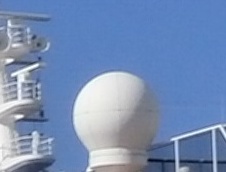 A few years back, people used dial-up modems and accessed their emails.
When they went on a cruise they could use the ship's satellite internet service to
read their emails. Then broadband came along and people started to use the internet
more, but the ship's service, although slow in comparison to broadband was still OK.
As more people started to use the internet, demand onboard rose, and so cruise lines
updated their service, but by then cloud computing had come along, and people were
streaming video and music. Streaming is bad news for any shared bandwidth medium
(despite what the people pushing it say). It is bad enough on broadband, but it knocks
performance out of the window on wifi and satellite internet. Nowadays, particularly
when the line bundles "free wifi" in with the price of the cruise, or as a perk for higher
rated loyalty customers, it is almost not worth bothering. Cruise Critic has an
article on Internet at
Sea.
 One alternative may be to eschew the ship's offering and only use provided free
wifi hotspots from cruise
terminals or internet cafes. This means you can only do internet
when in port, not at sea, and you need to be savy about the use of public hotspots.
However the speed more than compensates for any inconvenience. If in a bar or cafe
you may be expected to buy something, but if you offset the cost of an internet package
this will not break the bank and you get to sample the local beer or cuisine. If you
do not know the dangers of public hotspots read this
page and the following page.
If you are unfamiliar with networking and wifi you may need to start
here and read up to page Wifi5.
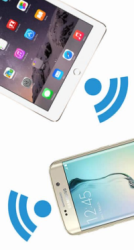 There may be another alternative for
some. If you have a phone that supports
thethering and a phone carrier that also supports it, this may provide an alternative.
You set up your phone as a wireless hotspot and then access your phone's internet connection
(3G/4G) from your other devices, tablet or laptop, (this is called tethering). If your
tablet has a phone (some do), and it is your only device, then you don't need tethering,
just use it direct. There are some downsides. If you have a data cap you could
overun it. You can be eavesdropped as you are networking over wireless, so need to
set a strong password. (If you can connect your devices by cable this would avoid
this risk.) Your carrier may charge you an extra "roaming" charge when
out of your own country, though many are dropping this or making a smaller, reasonable
charge. You still have problems at sea if out of range of the phone network
towers. There is an article
here
on setting up a mobile phone hotspot.
What does the future hold?
 We have heard talk of 5G for some time
with promises of gigabyte speeds that allow a movie to download in seconds. More
hype? Well things are starting to move, with testing happening now, and possible
roll out in selected areas by the end of 2018. It should be common place for many
by 2020. So what? Well this article in
Forbes
"The Dawn Of 5G: Will Wireless Kill the Broadband Star?" explains what it will mean.
It is quite techie, but note the headline. This
article from
Tom's Guide might be better. It is worth keeping your eye open and reading your
carrier's small print, there might be some nice opening offers, and it might be a saving to
upgrade to 5G if you can avoid the cost of broadband. For some in the U.S.A. with
poor broadband availability this is their only option.
Onboard internet access
The service offered varies between the cruise lines. Some offer a
wifi connection from the cabin, others only from set hot spots within the ship.
Nearly all lines offer a few terminals for those who do not have their own devices;
laptops, tablets or phones. Some lines offer printing facilities but this may not be
available on your ship. The method to set up an account will also vary between the
lines. For some you have to go to reception and will get a sign on. Others
will have automatic account creation when you open your browser. Some lines have
free access to sales promotion material, you only pay for web browsing. Internet
access is continually evolving and may be different to your last cruise, even on the
same ship.
On one ship I did see an ethernet connection in the cabin. As I had
an ethernet cable with me I tried it, but could not get a connection. On another
ship I found I could get wifi in the cabin during quiet periods (over night, or when
people were ashore) even though this was not supported. It was not always
reliable though. If your cabin is near to a hot spot this might work for you.
If you do have problems with connectivity or speed of access, try sitting under a
hot spot antenna; often these are white cones on the ceiling. On some ships the
router may be open access and you only need to sign on for browsing of web pages.
This allows for i-pads to update without using up your internet minutes. I had a
mapping program on my lap top that downloaded map tiles via TCP-IP protocol without
having to sign in. This also may vary between the lines.
|