|
Setting image type
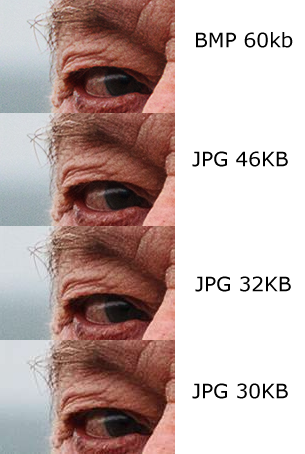
Some cameras allow you to save both RAW and JPG format. If you can, you should do this. Processing RAW files is an advanced technique and not for beginners, which I'll not be covering in this tutorial, but keep them nevertheless. It will use much more memory both in the camera and on the PC (perhaps 10x as much), but memory is cheap. When you become proficient in Photoshop techniques later you will be able to return to your earlier photos, even those you thought were failures, and make something of them. If you set your camera to save both formats you will get two files for each image you take. One will have the .jpg (or .jpeg) file extension and is what you would review while it is in the camera, or will see as a thumbnail in windows explorer. The other file will have a different file extension (.raw, .cs2, .dng, etc.). There are many different sorts depending on the make and model of camera. If you have a modern camera and older processing software, you may find the software can't read the raw file. This normally just requires the latest update from the software supplier, or they may have a patch to add the latest cameras. Also don't worry that the raw image looks terrible compared to the jpeg one, it just needs a bit of processing. There are two reasons why RAW files are better. The processing the camera applies is a default set of assumptions. It does its best, and applies a lot of intelligence to the processing, for example if it determines there are faces in the image, it processes it differently to how it does if it thinks it is a landscape. However, it can not know what your intentions were when you took the image. Secondly the sensor has 12 bits of data per pixel to represent luminosity (how bright it should be - we will cover colour later). This gives 4096 levels between saturated white and jet black. A JPEG file is limited to 8 bits which is only 256 levels. Some of the extra luminosity information is lost because the sensor is non linear, but much can be recovered with tone mapping. Next topic: Auto mode and Scene Mode [ back to index ] |